
AlphaSERP Page Analyser — Free SEO Chrome Extension
A free Chrome extension that gives you instant, comprehensive SEO analysis of any page you are browsing. Open it on any page to get a scored audit out of 100, Google Search Console data, live Core Web Vitals, AI crawler checks, and a full technical breakdown — all in one popup, without switching tabs.
SEO Page Analyser
Built for SEOs, content teams, developers, and anyone who needs fast on-page analysis as part of their daily workflow. You can audit any page instantly without switching tools or copying URLs. The extension surfaces key SEO data directly in your browser, combining technical checks, content signals, and performance insights in one place.
Whether you are reviewing your own pages or analysing competitors, it gives you a fast, reliable overview of what matters — and what to fix — without disrupting your workflow.
What makes it different from other free SEO extensions
Most free SEO extensions cover title tags and meta descriptions. AlphaSERP goes further in several areas that matter to working SEOs.
GSC integration
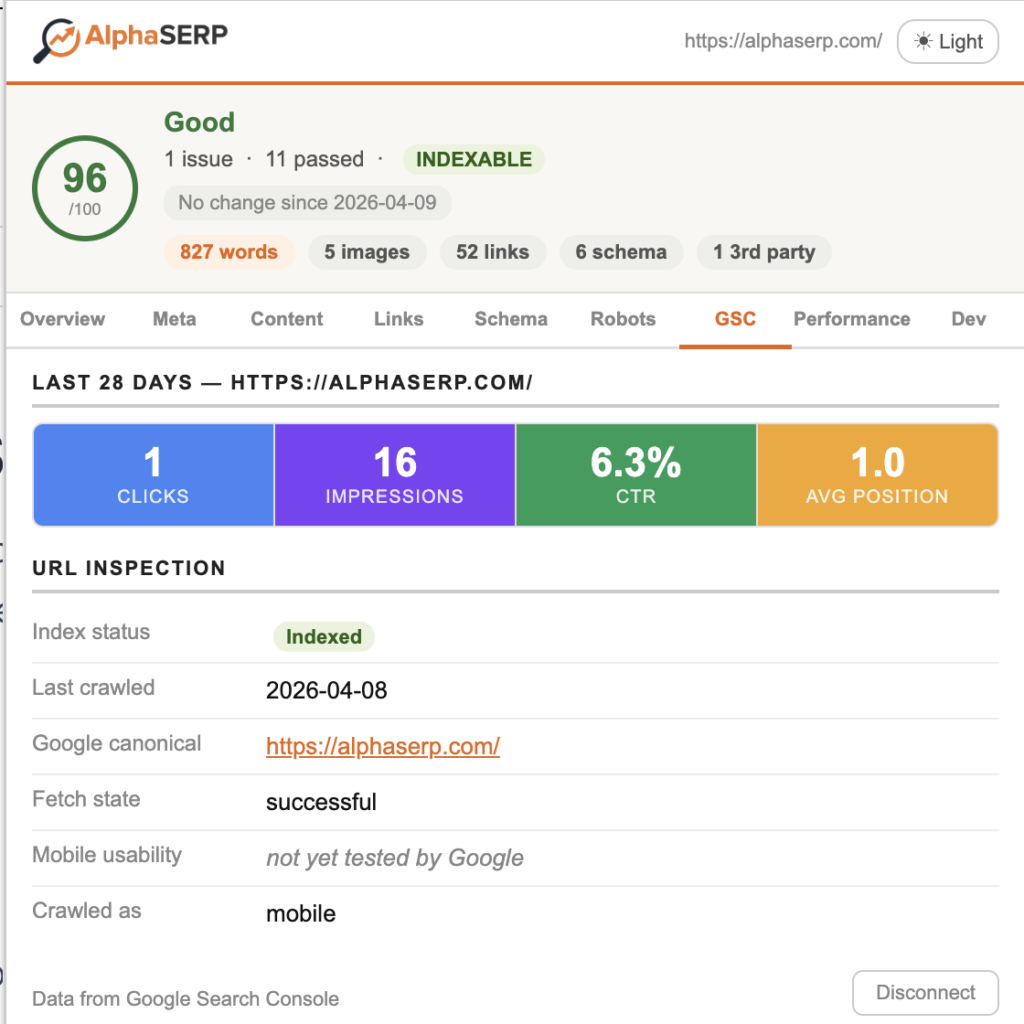
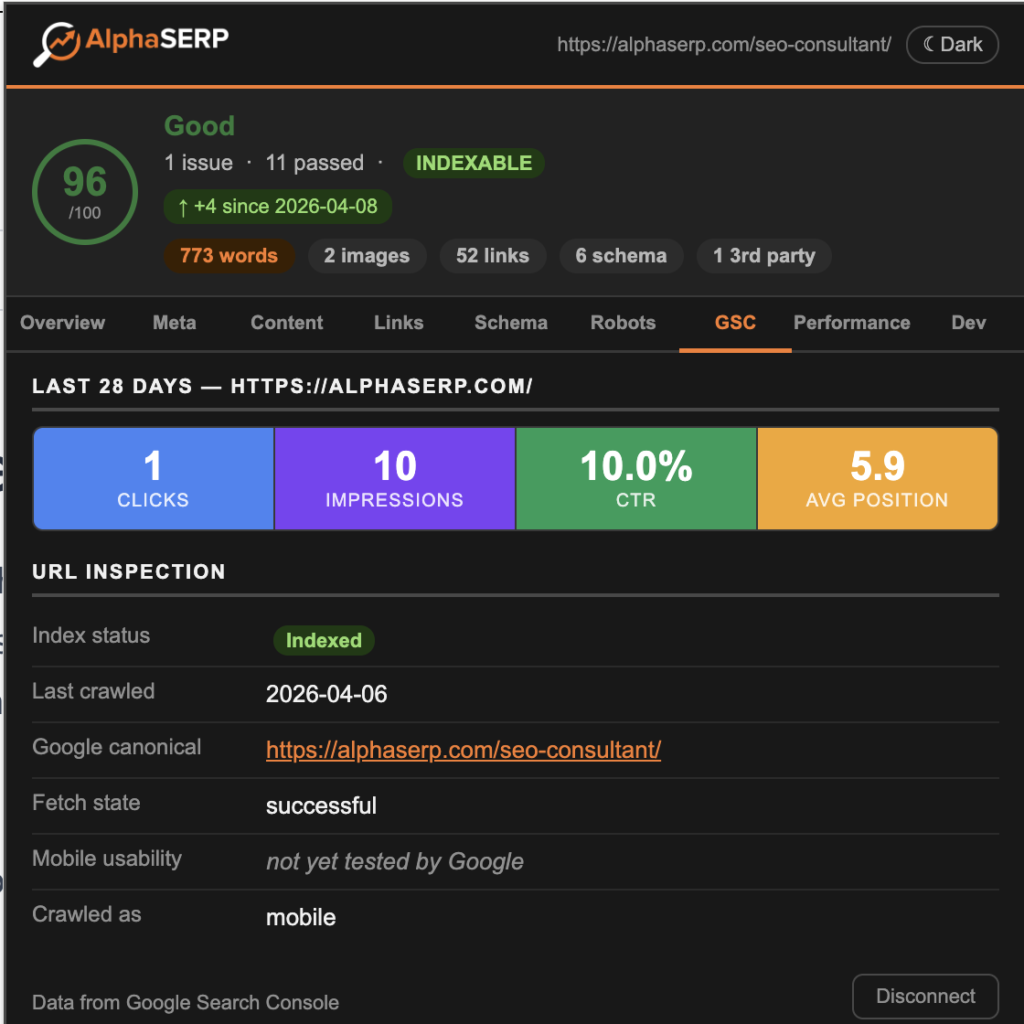
Connect your Google Search Console account with one click and see clicks, impressions, CTR, and average position for any page that you own — in the extension without leaving the page.
No tab switching, no copy-pasting URLs into Google Search Console.
Core Web Vitals
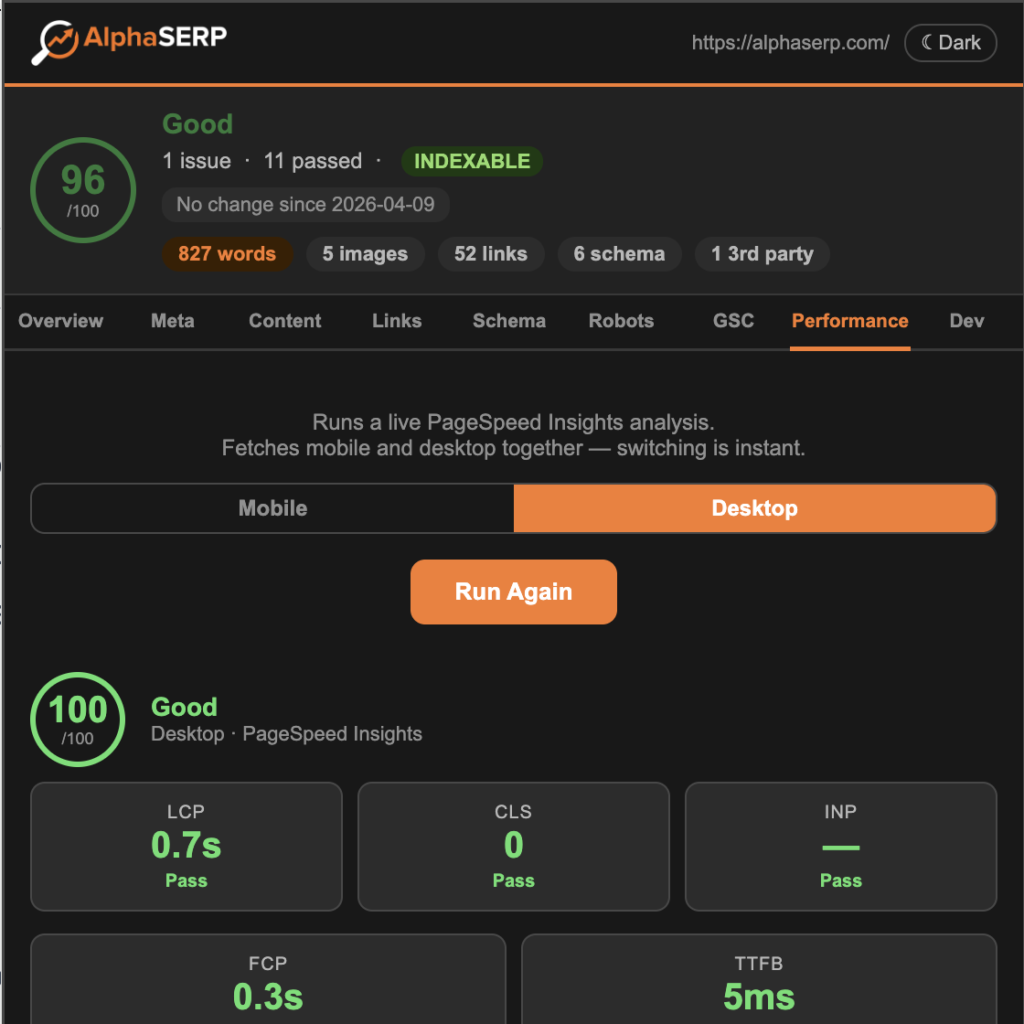
Run a live performance analysis on any page with PageSpeed Insights.
With one click you get LCP, CLS, and INP scores with pass/fail indicators alongside FCP, and TTFB — directly in the Page Analyser Extension window.
You also get a list of the top improvement opportunities. Instantly switch between mobile and desktop.
AI crawler rules and llms.txt
See exactly which AI crawlers are allowed or blocked in the site’s robots.txt — GPTBot, ClaudeBot, PerplexityBot, Google-Extended, and others. The extension also checks whether the site publishes an llms.txt file and shows a preview of its contents. Useful for understanding how a site’s content is positioned for AI search engines and LLM training pipelines.
Score change detection
The extension tracks your SEO score every time you visit a page and shows how it has changed since your last visit. Useful for monitoring client sites, tracking the impact of on-page changes, and catching regressions without needing to remember previous scores.
JavaScript error detection
Errors are captured from the very start of page load and displayed in the Dev tab alongside third-party script counts, inline CSS ratio, mixed content warnings, and page size signals.
Anchor text audit
Internal links are listed with their anchor text and generic anchors — click here, read more, learn more — are flagged individually. This level of anchor text analysis is available in paid tools like Screaming Frog and Ahrefs but absent from most free extensions.
Full audit coverage across 9 tabs
Overview
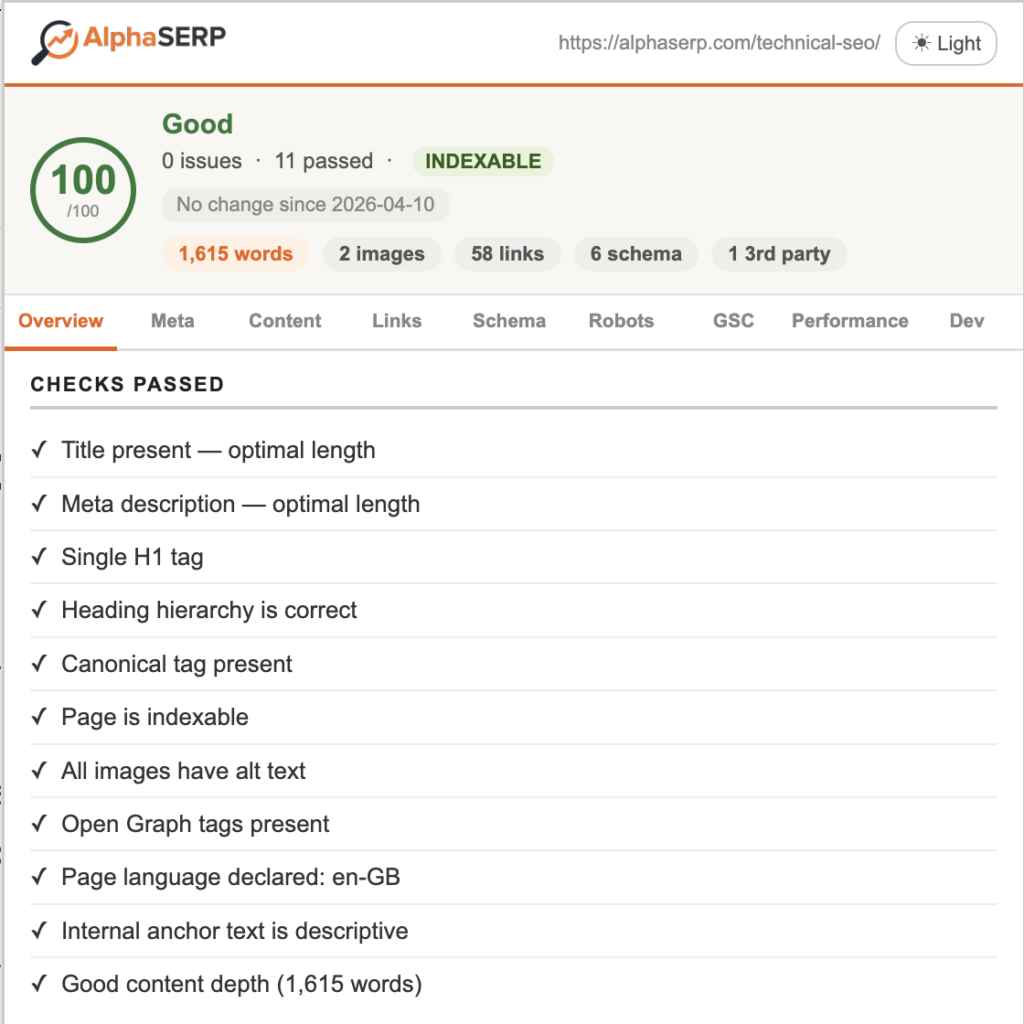
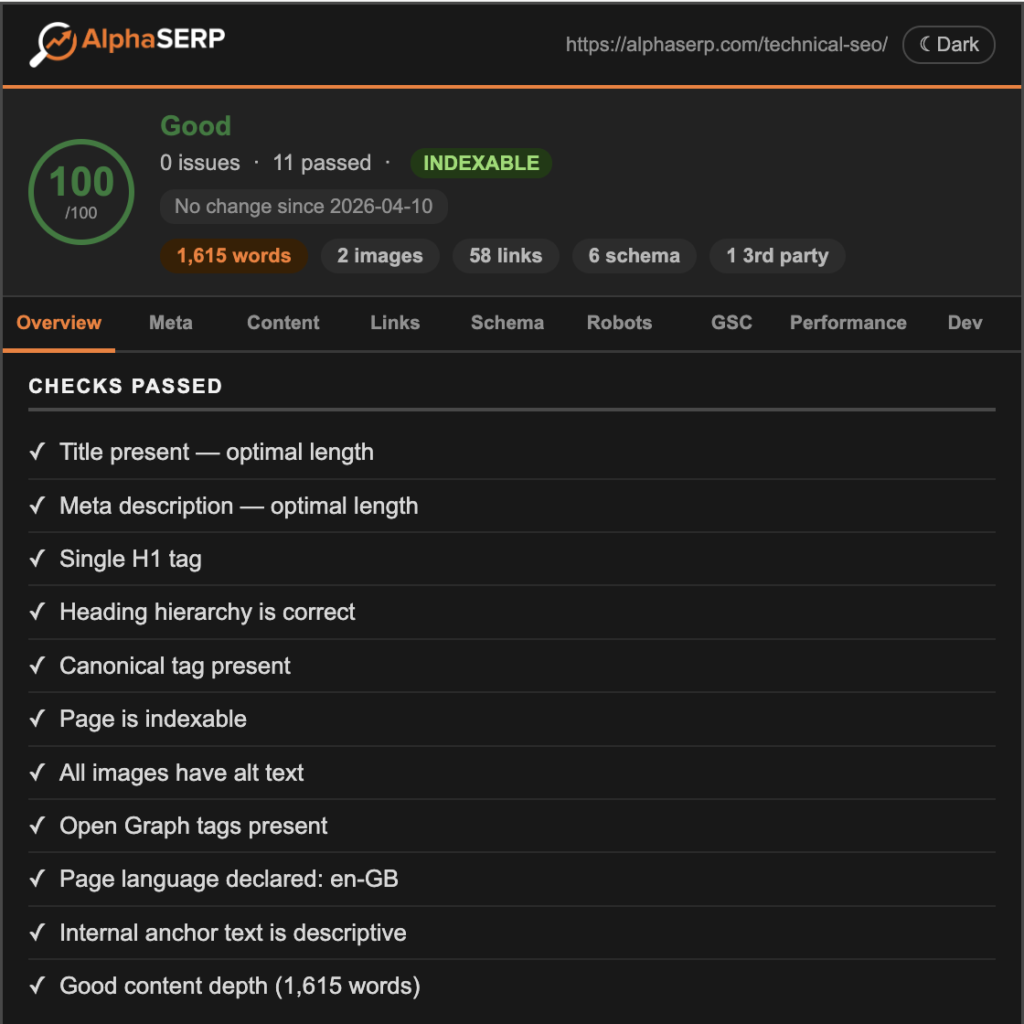
Score out of 100 with issues listed in order of impact and checks passed. Quick stats: word count, image count, inlinks count, schema.
Score change vs last visit. Hreflang summary at the bottom — full table if tags are found, single-line note if not.
Switch to dark mode by clicking the button in the top right corner.
Meta
Title tag and length, meta description and length, robots meta, canonical, lang attribute, viewport, Open Graph (scored 0–4), Twitter/X card (scored 0–3).
Content
Full heading hierarchy as a visual tree with order validation — flags if H1 appears after H2 or if levels are skipped. Flesch readability score with visual indicator. Word count, reading time, page size, top keywords by frequency.
Links
All internal and external links with anchor text. Generic anchor text flagged individually.
Schema
All JSON-LD structured data blocks parsed and displayed with type and properties present. Link to Google’s Rich Results Test for full validation.
Robots
Live robots.txt fetched and displayed. Rules affecting the current page highlighted. AI crawler rules shown with allow/block status. llms.txt check with content preview.
GSC
Clicks, impressions, CTR, and average position. The GSC tab also shows the top queries driving traffic to the URL and includes URL Inspection: index status, last crawl date, Google’s chosen canonical, mobile usability, and fetch state.
Connect your GSC account with just one click right there in the extension window to get your performance data without having to switch to Google Search Console.
Performance
Run PageSpeed analysis on demand. Performance score out of 100. LCP, CLS, INP, FCP, TTFB. Mobile and desktop cached for instant switching. Top 3 Lighthouse improvement opportunities.
Dev
JavaScript errors captured from page load start. Third-party script domains with count and warning threshold. Inline CSS ratio. Mixed content detection. CTA detection. Page size. TXT report export for client deliverables.
How to install
One click from the Chrome Web Store.
The extension works on any standard http or https page. It will not run on browser settings pages, the new tab page, or PDFs. Dark mode is included and persists between sessions.
Privacy and permissions
The extension requests three permissions: activeTab (to read the current page when you click the icon), scripting (to inject the analysis script), and storage (to save your score history for change detection). None of these enable background access or tracking.
No data is collected or sent to AlphaSERP servers. When you connect GSC or run a PageSpeed analysis, requests go directly to Google’s own APIs using your credentials and your quota.
Other free SEO tools from AlphaSERP
The extension is one part of a larger free SEO toolkit. AlphaSERP Tools includes nine free tools covering content analysis, technical SEO scoring, meta tag inspection, internal linking, trust and E-E-A-T analysis, schema generation, and keyword cannibalisation — all free, no account required.